Best AI tools for executive assistants is finally a useful search in 2026 because assistant work is exactly where modern AI systems can remove real friction. Executive assistants are juggling calendar conflicts, briefing prep, meeting capture, inbox cleanup, follow-up drafting, research, and the constant job of keeping important details from falling through the floor.
The fresh March 2026 signal is clear. IBM's latest 2026 enterprise AI outlook says the market is shifting from single prompts toward orchestrated systems that combine models, tools, and workflows. The Neuron made the same point this month from a more operator-focused angle: the real productivity gap is no longer "who writes the cleverest prompt" but who has better agentic workflows, automation recipes, and tool setups around recurring work. That maps almost perfectly to executive-assistant reality.
If your role is more project coordination than executive support, start with our project managers guide. If you mostly support client delivery instead of internal leadership flow, the consultants guide is closer. But if your day is built around briefings, scheduling, meetings, research, and making an executive look more prepared than they had time to be, the stack below is the practical place to start.
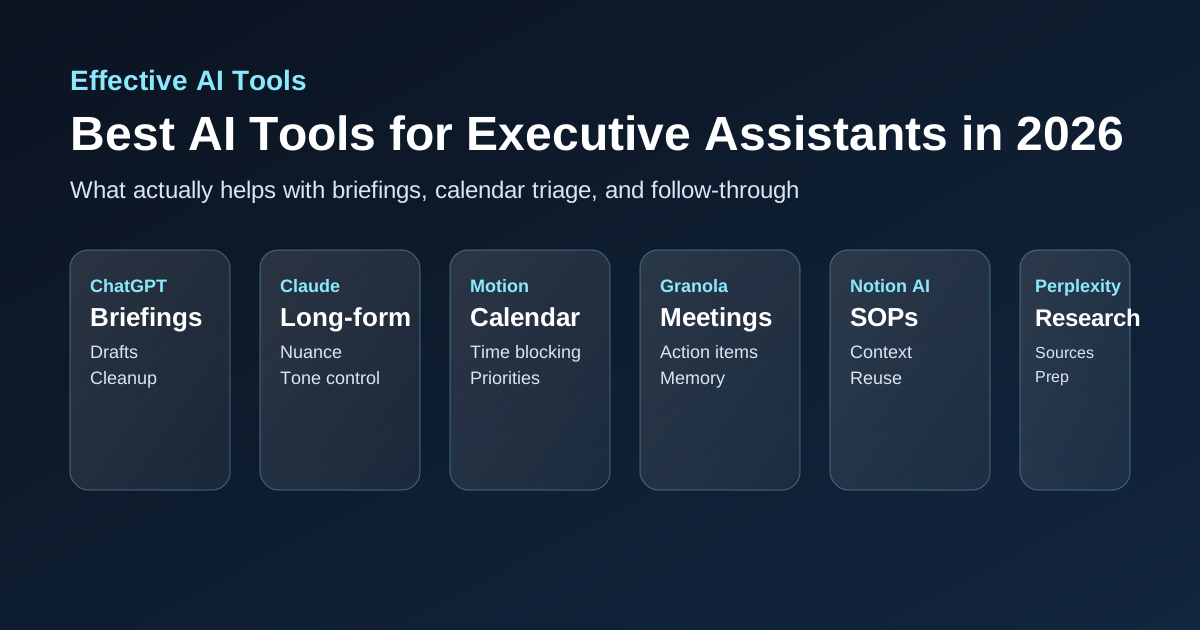
The best AI tools for executive assistants at a glance
- Best flexible assistant for executive briefings, drafts, and cleanup: ChatGPT
- Best for high-context writing and long-form synthesis: Claude
- Best for calendar triage and schedule protection: Motion
- Best for meeting capture without extra admin drag: Granola
- Best for executive knowledge, SOPs, and reusable operating docs: Notion AI
- Best for fast sourced research and pre-meeting prep: Perplexity
Why executive assistants are buying AI differently in 2026
Executive assistants do not need another toy chatbot. They need fewer dropped details, faster prep, cleaner handoffs, and tighter control over days that are already overbooked. The useful stack now looks less like one magical assistant and more like a small system: one tool for drafting and synthesis, one for scheduling pressure, one for meeting memory, one for searchable operating context, and one for fast research when an executive suddenly asks for background in ten minutes.
That is why the strongest 2026 AI signal is workflow-level, not prompt-level. Assistant work is full of repeated judgment calls and recurring coordination patterns. Tools that compress those patterns are worth paying for. Tools that just generate generic text are not.
1. ChatGPT: best for briefings, drafts, and fast cleanup
ChatGPT is still the best all-purpose starting point for most executive assistants because assistant work creates constant half-structured input: messy email threads, agenda fragments, meeting notes, talking points, research snippets, task lists, and requests that arrive with almost no context. ChatGPT is very good at turning that mess into something usable fast.
It works especially well for executive briefings, first-draft follow-up emails, meeting prep notes, rewrite-heavy admin work, and turning raw notes into clean bullets an executive can scan in thirty seconds. It is not a substitute for judgment, and it still needs fact checking on anything important, but it is one of the cheapest ways to reduce admin friction. If you are still choosing the base assistant layer, read our ChatGPT vs Claude comparison and Copilot vs ChatGPT for work.
- Best fit: briefing docs, email drafting, summaries, talking points, executive prep packets
- Weak spot: needs verification before anything sensitive or factual gets forwarded upward
2. Claude: best for high-context writing and better tone control
Claude earns a separate place because some EA work is not just fast drafting. It is high-context communication. Think board-meeting prep, sensitive internal messaging, policy cleanup, long notes that need to become readable, or executive updates that need to sound sharp without sounding robotic. Claude is often better than generic assistants when the main problem is preserving nuance across a lot of text.
This is especially useful when you are dealing with long source material and need calmer, more coherent synthesis. It is also a strong second tool if your executive's communication style is harder to imitate cleanly. For teams deciding between general assistants, the ChatGPT vs Claude guide goes deeper on the tradeoffs.
- Best fit: long meeting packs, nuanced internal comms, policy drafts, executive summaries with a lot of source material
- Weak spot: less helpful if your main pain is calendar control rather than document cleanup
3. Motion: best for calendar triage and schedule protection
Motion is one of the more practical specialist picks for executive assistants because calendar chaos is still one of the highest-cost problems in the role. A good EA is protecting time, reducing collisions, and making sure urgent work gets room without letting every day become reactive mush. Motion helps because it gives structure to shifting priorities instead of forcing you to manage everything manually in separate task lists and calendar tabs.
It is strongest when the executive's schedule changes constantly, priorities move fast, and a lot of work depends on sequencing. If the bottleneck is not writing but protecting focus and adjusting the plan without losing track of what matters, Motion is one of the cleaner buys.
- Best fit: dynamic schedules, time blocking, task prioritization, protecting executive focus windows
- Weak spot: weaker value if the calendar is already stable or tightly controlled elsewhere
4. Granola: best for meeting memory and follow-through
Granola is a strong EA tool because a lot of assistant value sits in what happens after meetings. Decisions, commitments, side comments, and subtle preferences all get lost if nobody captures them well. Granola helps by making note capture lighter and easier to turn into usable follow-through without adding another painful admin layer.
That matters for board prep, one-on-ones, leadership syncs, hiring loops, vendor calls, and anything where the assistant is quietly holding the operational memory for what was actually said. If your executive lives in meetings, this usually pays for itself faster than another generic AI writer. The adjacent category in our AI meeting assistant comparison is also worth reading if you want more meeting-note options.
- Best fit: meeting notes, action-item extraction, executive preferences, cleaner follow-up drafts
- Weak spot: narrower value if most of the role happens asynchronously rather than in calls
5. Notion AI: best for executive operating memory
Notion AI is useful when the real problem is not one meeting or one message, but the constant need to retrieve context. Executive assistants often become the hidden operating system for the executive: travel preferences, recurring brief formats, team org context, partner background, standard follow-up templates, project notes, staffing history, and little judgment rules that nobody writes down clearly. Notion AI helps turn that into something searchable and reusable.
It is especially helpful for assistants supporting multiple workstreams or multiple leaders, because it reduces the cost of re-finding and re-explaining context. That is not glamorous, but it is real leverage.
- Best fit: SOPs, briefing templates, reference docs, executive preferences, reusable meeting-prep systems
- Weak spot: weak substitute for scheduling or meeting tools if those are the real bottlenecks
6. Perplexity: best for fast research and pre-meeting background
Perplexity belongs in an executive-assistant stack because assistants are often asked to get smart on a person, company, market, issue, or announcement very quickly. Normal search is too slow when you need a pre-meeting brief in fifteen minutes. Perplexity is useful because it speeds up that first-pass research while keeping visible sources you can verify.
It is especially strong for executive prep packets, background notes on external contacts, recent company movement, and quick industry context before a call. If research is a major part of the role, our Perplexity vs ChatGPT research guide explains where it fits better than a general assistant.
- Best fit: meeting prep, background research, company snapshots, current-event context, sourced briefing notes
- Weak spot: still needs verification before anything sensitive or high-stakes gets presented as fact
What most executive assistants should buy first
Most executive assistants should buy for the slowest recurring step in the role, not the flashiest demo.
- Start with ChatGPT if briefing prep, drafts, and cleanup are eating too much time
- Start with Claude if the role involves more long-form, high-context writing and tone-sensitive communications
- Start with Motion if calendar conflict and priority reshuffling are the real source of pain
- Start with Granola if meeting memory and follow-through keep slipping
- Start with Notion AI if you keep rebuilding the same executive context from scratch
- Start with Perplexity if research-heavy prep is the biggest drag
This is the same buying logic behind our guides for operations teams, product managers, and consultants: buy for the recurring workflow bottleneck, not the category label.
What not to do
- Do not let AI-generated summaries replace direct understanding of what your executive actually needs.
- Do not paste sensitive board, personnel, legal, or compensation information into tools casually without checking data controls.
- Do not buy a separate AI tool for every tiny admin problem if one strong stack already covers the workflow.
- Do not mistake cleaner-looking notes for better operational follow-through.
- Do not trust fast research blindly just because it came with citations.
If your executive work involves sensitive information, our ChatGPT safety guide is still worth reading before normalizing consumer AI use across confidential workflows.
Our verdict
The best AI tools for executive assistants in 2026 are the ones that reduce coordination drag without making the work sloppier. ChatGPT is still the best first buy for drafting and briefing prep. Claude is the better high-context writing layer. Motion helps protect time and tame shifting calendars. Granola improves meeting memory and follow-through. Notion AI turns hidden operating knowledge into reusable leverage. Perplexity is the fastest way to build sourced prep notes under time pressure.
If you only buy one thing, buy the tool that fixes the repeat problem you hit every day. That is where AI stops being impressive and starts being useful.